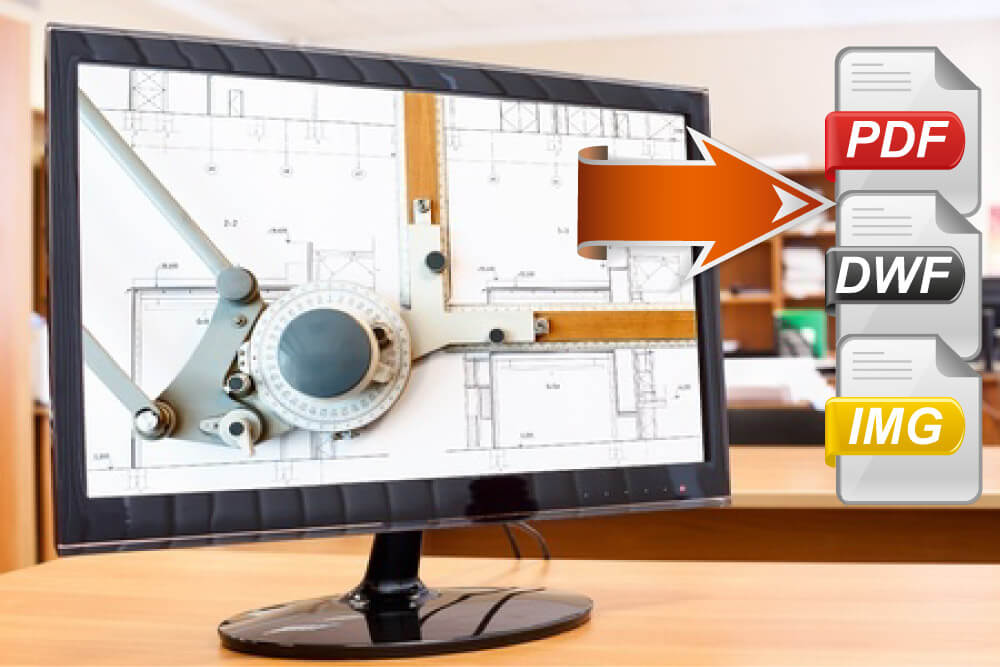

Convert AutoCAD DWG Files to PDF and DWF with AcroPlot Pro! | | Convert AutoCAD DWG Files to PDF and DWF with AcroPlot Pro! | 
 | See what some more of our customers have to say |
| At CADzation we pride ourselves on consistently being the leader that the others will follow when it comes to converting AutoCAD DWG files to PDF and DWF. First to batch process multiple DWG files and Word documents into a single PDF file. First to add both text and graphics watermarks during the conversion process. First to extract titleblock attributes to use as intelligent bookmarks in the DWG to PDF conversion. First to support lines merge in the DWG file to PDF conversion. First to - ??? Just wait and see. Trust us, you don't want to miss out on our next big innovation in converting DWG to PDF or DWF.
| Cadalyst Labs Review confirms that we create significantly smaller PDF files than our competition. Independent testing of the AutoCAD Willhome.dwg with AcroPlot Pro produced a PDF that was 124 KB in size. Our leading competitors were 1.7 MB or larger. The AcroPlot PDF is more than 13 times smaller for one page. Click here to read the full article
| | | Think AutoCAD 2007's or 2008's built-in PDF output is your solution? Think again. Yes AutoCAD 2007 does include a built-in PDF driver for use from AutoCAD only but our AcroPlot PDF files are still considerably smaller and of higher quality. We have even done the homework for you. Click here for the complete AutoCAD® 2007 DWG to PDF Output Analysis. | | | The AcroPlot Pro Advantage - 5 Reasons why AcroPlot Pro is the best. |  | Smaller File Sizes | | | > Accurate conversion of True Type fonts permits highly compressed PDF's that are fully text searchable. > Use AcroPlot Pro Windows printer driver with any CAD or MS Windows application. Make high quality compressed PDF's from MS Office, Microstation, Inventor, Solidworks, Pro/E, Unigraphics and more. |
|  |
|  | Intuitive Batch Conversion | | | > Batch Conversion of files to PDF or DWF from one application. > Supports conversion of DWG, DXF, PLT, TIFF, CALS, GP4, DOC, XLS, and more. > Sheet set and project management for all versions of AutoCAD. > High quality Windows printer driver creates PDF's from any program. > API controls allow you to create and convert the way you work. | | | |  | Advanced Bookmark and File Naming | | | > Automatically create bookmarks using block attributes, layout or file names in the DWG file for PDF or DWF conversion. > String together attributes from several blocks to create logical file names automatically. > Preview and modify bookmarks prior to batch file conversion. |
|  |
|  | Lines Merge Support and Control | | | > Create PDF or DWF that view and print exactly as they would from AutoCAD. > 12 modes of merge control and options for optimizing complex polygons that have solid fills make files smaller, view and print faster. |
|  |
|  | PDF and DWF Modification with AcroPlot Matrix | | | > AcroPlot Matrix allows viewing, printing, markup, and editing (page insertion, deletion, reordering, etc.) of PDF and DWF files and now features the ability to resize pages, scale line weights, and switch the mode from color to grayscale or black and white, all without recreating the PDF or DWF. |
|  |
| | | | Click here to download the CADzation Product Matrix (pdf) to find out which version is perfect for you. |  | AcroPlot Pro™ is the next generation in digital CAD conversion software. With the capability to convert an extensive list of file formats to PDF, DWF, and images AcroPlot Pro will serve as a nexus for CAD Professionals everywhere. Input Formats: DWG, DXF, DOC, TXT, RTF, XLS, BMP, CALS, JPG, GIF, TIFF, PLT and more.
Output Formats: PDF, DWF, BMP, CALS, JPG, GIF, GP4, PNG, TIFF | More Info Download Purchase |
|
|  | AcroPlot™ is CADzation’s award winning software for converting AutoCAD and Microsoft Office Word files into high quality Portable Document Format (PDF) files that are fully text searchable. Input Formats: DWG, DXF, DOC, TXT, RTF
Output Formats: PDF | More Info Download Purchase |
|
|  | AcroPlot Repro™ is designed as a high-end replacement to the free Ghostscript® processing utility used by Océ Repro Desk®, Kip Request®, MetaPrint™, and software applications that print PDF and DWF® files. Input Formats: PDF, DWF, PLT
Output Formats: Monochrome TIFF | More Info
Download
Purchase |
|
|  | AcroPlot Auto™ is the real workhorse that can convert entire drives of drawings to both PDF and DWF files. AcroPlot Auto can even run continuously or at schedules times. Input Formats: DWG, DXF, DOC, TXT, RTF, XLS, BMP, CALS, JPG, GIF, TIFF, PLT, PDF, DWF and more.
Output Formats: PDF, DWF, BMP, CALS, JPG, GIF, GP4, PNG, TIFF | More Info Download Purchase |
|
|  | AcroPlot Matrix™ is the worlds first single application that enables users to insert, reorder, extract and delete pages in either PDF or DWF files. AcroPlot Matrix will even convert TIFF, PLT, CALS, and other file formats to DWF or PDF on the fly during insertion! (Included with AcroPlot Pro) Input Formats: PDF, DWF, BMP, CALS, JPG, GIF, TIFF, PLT.
Output Formats: PDF or DWF. | More Info |
|
|  | CADVault® by CADLock® allows you to secure all or part of your AutoCAD drawing that you create.Lock valuable and important parts of your design to prevent unwanted modifications Prevent unauthorized access to secured drawing elements Digitally sign, co-sign or approve drawings Create components that clients can use in their drawings but cannot explode or modify
| More Info
Download
Purchase |
|
| | | How does Acro Plot convert my DWG files? No need to purchase Adobe Acrobat Distiller AcroPlot includes it's own PDF printer driver so there is no need to buy Adobe Acrobat Distiller. AcroPlot can add bookmarks, a title page, and even create the email for you to send the PDF file to your customer. With Acro Plot you can even extract the titleblock attributes to use as the text for the bookmarks. And with Acro Plot you have your choice or converting all drawings to a single PDF file or into multiple PDF files. All for a fraction of the cost of buying Adobe Acrobat. | | | Save time when you convert DWG files using Acro Plot? But don't take our word for it - see what users are saying. "You are The Man! I have used Auto CAD since 1987 and over the years there have been times where something new has come along that saves us a ton of time and allows us to do new things. It has been a LONG time since that's happened but here we are - thank you for creating Acro Plot. I'll tell everyone who'll listen about your great product."
Robert Burns - FacilityNow, Inc. - Wauwatosa, WI
"Just a quick note to say that we are quite impressed with the speed and quality of the PDF 's that your "little tool" has produced. We are currently in production of a number of Planning Applications and Waste Licence Applications entailing up to 70 Auto Cad drawings and I am confidant that Acro Plot will be of great assistance in final production."
Gerard Finane Dip. Min. Eng AIEI, Senior CAD Draftsman/Project Engineer, TES Consulting Engineers
Click here for more testimonials on AcroPlot from AutoCAD users.
| | | What is an AutoCAD DWF file? DWF (Design Web Format) is a highly compressed file format established for viewing and printing Auto CAD drawings and other 2D vector files and sending them over the Internet. This lightweight AutoCAD format is designed to work with Autodesk® DWF Viewer Plug-In (a free download available at Autodesk.com - formerly called Whip! Plug-In). DWF is a fast, efficient way to distribute design data to anyone who needs it. What you see is exactly what the is intended, because the information cannot be changed. |  The free drawing viewer for AutoCAD DWF files. View, print and distribute files easily. Click Here to Download | | |
| |
|